

Why You Should Pay Attention to Changes in Fan Noise
A cold room fan that’s working properly runs with a low, steady hum. Any deviation from that baseline — a new rattle, squeal, or grinding sound — is the equipment’s way of signaling a problem. Changes in cold room fan noise are often the earliest indicator of mechanical wear, electrical faults, or airflow obstructions.
Catching these changes early matters for a few reasons:
- Preventing costly repairs: A worn bearing caught early is a cheap fix; a seized motor is not.
- Protecting stored product: Reduced airflow from a failing evaporator fan can cause temperature fluctuations that compromise food safety or product quality.
- Avoiding downtime: Unexpected fan failure often means an emergency service call and a cold room that can’t hold temperature in the meantime.
- Extending equipment life: Addressing minor issues prevents them from damaging other components, like the motor or compressor.
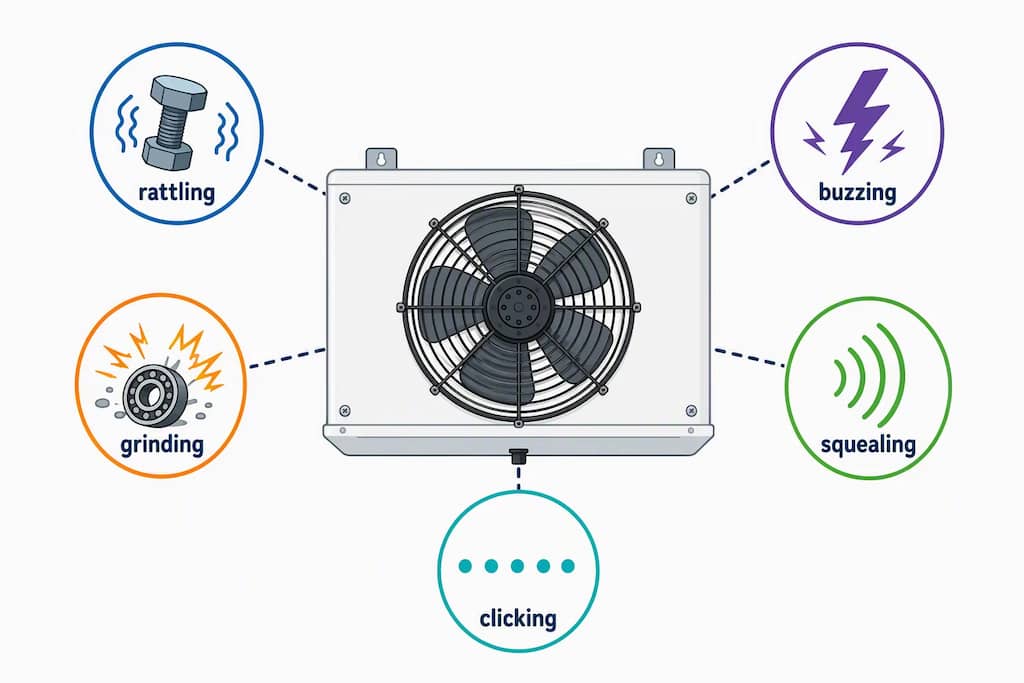
Rattling or Vibrating Noise
A rattling or vibrating sound usually points to something loose rather than something broken. Common culprits behind this type of cold room fan noise include:
- Loose mounting bolts or bracket screws
- A fan blade that has shifted out of alignment
- Loose panels or guards vibrating against the housing
- Ice buildup on the evaporator fan blades, throwing off balance
This noise tends to come and go with fan speed and often gets louder as the fan spins faster. It’s usually one of the easier cold storage fan problems to fix — tightening hardware or clearing ice can resolve it — but left unaddressed, vibration can loosen other components over time.
Grinding or Scraping Noise
Grinding or scraping is a more serious form of cold room fan noise and typically indicates metal-on-metal contact. Possible causes include:
- A damaged or worn-out fan bearing
- A blade that has bent and is now hitting the housing or guard
- Debris lodged inside the evaporator fan assembly
- Motor shaft misalignment
This type of noise generally won’t go away on its own and tends to worsen quickly.
Buzzing or Humming Noise
A slight hum is normal, but a loud or new buzzing sound often points to an electrical issue rather than a mechanical one. Watch for:
- A failing capacitor
- Loose electrical connections
- Motor windings starting to fail
- The fan motor straining to start or run
Buzzing paired with the fan struggling to spin up, or stopping intermittently, is a strong sign of an electrical fault.
Squealing or Chirping Noise
A high-pitched squeal or chirp is almost always related to belts or bearings:
– A worn or slipping fan belt (on belt-driven systems)
– A bearing that’s dry and needs lubrication
– A bearing nearing the end of its life
This sound often appears first when the fan starts up and may fade slightly as the unit warms up — but that doesn’t mean the underlying issue has resolved.
Clicking or Repetitive Ticking
A rhythmic clicking or ticking, especially one that syncs with the blade’s rotation, usually means something is physically contacting the blade as it spins. Common causes:
– A bent fan blade
– A foreign object or ice caught in the fan guard
– A loose fan guard vibrating against the blade tip
This noise is often intermittent and can be one of the trickier ones to diagnose by ear alone, since it may only happen at certain fan speeds or temperatures.
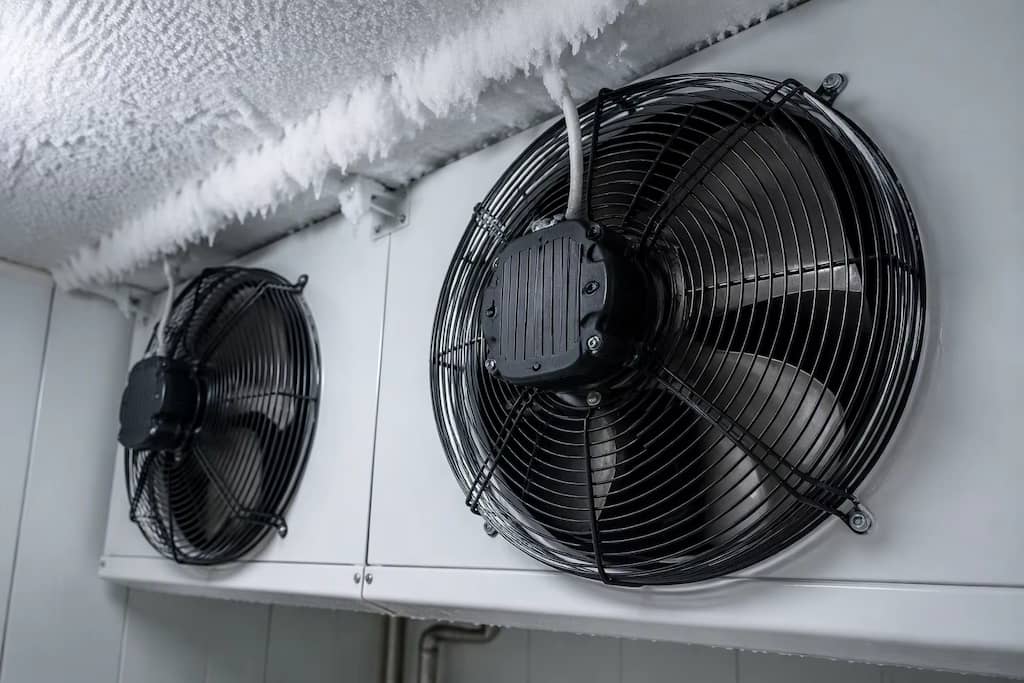
How to Find the Source of the Noise
Pinpointing the exact cause of cold room fan noise takes a systematic approach to fan noise troubleshooting:
- Listen at different times. Note whether the noise happens at startup, during steady operation, or when the compressor cycles on.
- Check for ice buildup. Frost or ice on the evaporator fan blades or housing is a common and easy-to-spot cause of rattling or clicking.
- Inspect visually with the power off. Look for loose panels, bent blades, or visible debris — always de-energize the unit first.
- Feel for vibration. Excessive vibration at the housing often points to blade imbalance or loose mounting hardware.
- Listen close to the motor versus the blades. This helps narrow down whether the issue is electrical/mechanical (motor) or physical (blade, guard, ice).
- Check bearings for play. With the power off, gently try to move the fan blade by hand — excessive wobble suggests bearing wear.
If the noise can’t be isolated safely, or if it’s paired with reduced airflow or temperature swings, it’s time to call in a refrigeration technician experienced with cold room and commercial refrigeration fan systems.